We have compiled a list of manufacturers, distributors, product information, reference prices, and rankings for Input support software.
ipros is IPROS GMS IPROS One of the largest technical database sites in Japan that collects information on.

Input support software Product List and Ranking from 5 Manufacturers, Suppliers and Companies

Last Updated: Aggregation Period:Nov 19, 2025~Dec 16, 2025
This ranking is based on the number of page views on our site.

Input support software Manufacturer, Suppliers and Company Rankings

Last Updated: Aggregation Period:Nov 19, 2025~Dec 16, 2025
This ranking is based on the number of page views on our site.

  1. シーエスエー Shimane//software
  2. テクノウェーブ Tokyo//Industrial Electrical Equipment
  3. イツワ商事 大阪本社 Osaka//Trading company/Wholesale
  4. エスワイシステム Toyama//IT/Telecommunications
  5. 5 アネステック Kanagawa//Electricity, Gas and Water Industry

Input support software Product ranking

Last Updated: Aggregation Period:Nov 19, 2025~Dec 16, 2025
This ranking is based on the number of page views on our site.

  1. [Estimation Raiden Series] PDF image data & multi-format input support function シーエスエー
  2. Touch panel text input support software "KanTouch SDK" テクノウェーブ
  3. Speech input/output solution "TECHNOPRO" イツワ商事 大阪本社
  4. Excel is a good listener. エスワイシステム
  5. 4 BLuE【Direct input of measurement values into forms and drawings】 アネステック

Input support software Product List

1~5 item / All 5 items

Displayed results

Touch panel text input support software "KanTouch SDK"

Touch panel text input support software "KanTouch SDK"

This is a text input support software for touch panels. Since it is an embedded software keyboard, it can be easily integrated into the system under development, allowing for efficient system development without the need to develop the text input portion independently. It can be operated from the customer's application via API functions. A customization tool is included. Compatible with Windows® 2000 and Windows XP. Supports Visual C++®. Compatible with MS-IME and ATOK®.

  • Expansion Boards
  • Other measurement, recording and measuring instruments
  • Software (middle, driver, security, etc.)

Added to bookmarks

Bookmarks list

Bookmark has been removed

Bookmarks list

You can't add any more bookmarks

By registering as a member, you can increase the number of bookmarks you can save and organize them with labels.

Free membership registration

[Estimation Raiden Series] PDF image data & multi-format input support function

You can directly read design breakdowns and estimates! Input functionality that does not depend on format or style!

This is an introduction to the "PDF Image Data & Multi-Format Input Function" of "Sekisan Raiden." This function allows the text in image data to be processed in the same way as text data, using our unique technology. The formats of the target data (design breakdowns, estimate formats) can accommodate almost all formats used in the construction industry, without being restricted to specific formats, including government-designated formats (RIBC format). In large projects with a lot of estimate data, the amount of data to be entered can be enormous. In such cases, if there is a design breakdown or estimate that can be utilized, it can be directly read and used as input data for "Sekisan Raiden," regardless of the format. Design breakdowns or estimates can be converted into image data or text data using OCR devices or scanners, allowing for direct reading and use as input data. *For more details, please refer to the PDF materials or feel free to contact us.*

  • Business Intelligence and Data Analysis
  • Software (middle, driver, security, etc.)

Added to bookmarks

Bookmarks list

Bookmark has been removed

Bookmarks list

You can't add any more bookmarks

By registering as a member, you can increase the number of bookmarks you can save and organize them with labels.

Free membership registration

Speech input/output solution "TECHNOPRO"

Automate tedious input tasks just by talking! We contribute to reducing business burdens through the reduction of input errors and increased efficiency. 【IoT implementation and manufacturing industry DX】

By using voice input for tedious handwritten and PC entries, we achieve a reduction in labor, a decrease in input errors, and a move towards a paperless environment. ▪ Recommended Usage Areas 1) Places unsuitable for handwritten/PC input, such as high or dark locations 2) Areas where both hands cannot be used due to the nature of the work 3) Locations where keyboard input is impossible due to wearing gloves ▪ Mechanism for High-Precision Input 1) High-performance microphone 2) Dictionary function 3) Master function By automatically extracting only the desired words through these three layers, we improve and streamline input tasks by reflecting them in the desired output areas. Since non-standard words, casual conversations, and background noise are not reflected at all, only accurate words can be extracted and inputted.

  • Voice Recognition Software
  • Other inspection equipment and devices
  • Other services

Added to bookmarks

Bookmarks list

Bookmark has been removed

Bookmarks list

You can't add any more bookmarks

By registering as a member, you can increase the number of bookmarks you can save and organize them with labels.

Free membership registration

Excel is a good listener.

Input numerical values into Excel cells from the microphone's audio! Directly set the read-out numerical data into Excel cells.

Are you having trouble with voice input into Excel? This software directly sets the voice-input numerical data into the currently selected cell in Excel. You can also input short sentences that are not numerical (within about 20 seconds). It will repeat the entered content back to you by voice. You can use voice commands to move to adjacent cells up, down, left, or right. It utilizes the voice recognition feature of the Google Chrome browser, so the conversion accuracy is high. There is no need for a Google user ID or login to Google. You can choose to use either of the two input modes: [Numerical / General Text]. It can also be used to input into Windows' built-in Notepad or the free software Terapad. It is useful for quickly creating drafts.

  • Voice Recognition Software

Added to bookmarks

Bookmarks list

Bookmark has been removed

Bookmarks list

You can't add any more bookmarks

By registering as a member, you can increase the number of bookmarks you can save and organize them with labels.

Free membership registration

BLuE【Direct input of measurement values into forms and drawings】

Attention electrical contractors! The numerical input for report creation goes directly into Excel!?

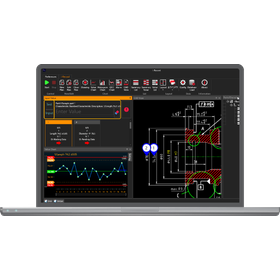
We would like to introduce the benefits of implementing our measurement support system, 'BLuE'. It is possible to directly input measurement values into Excel reports, PDF drawings, and CAD drawings. When integrated with Excel, you can directly input measurement values into the selected cells of the reports you usually use. When using CAD or PDF, you can automatically fill in markers and measurement values at the indicated points on existing drawings. 【Features】 ■ Direct input of measurement values into reports and drawings ■ Direct input of measurement values into the selected cells of the reports you usually use when integrated with Excel ■ Automatic filling of markers and measurement values at the indicated points on existing drawings when using CAD or PDF *For more details, please refer to the PDF materials or feel free to contact us.

Added to bookmarks

Bookmarks list

Bookmark has been removed

Bookmarks list

You can't add any more bookmarks

By registering as a member, you can increase the number of bookmarks you can save and organize them with labels.

Free membership registration